Salette
Your personal art collection, beautifully organized and intelligently tracked.


Questions?
Professional Art Collection Management Made Simple
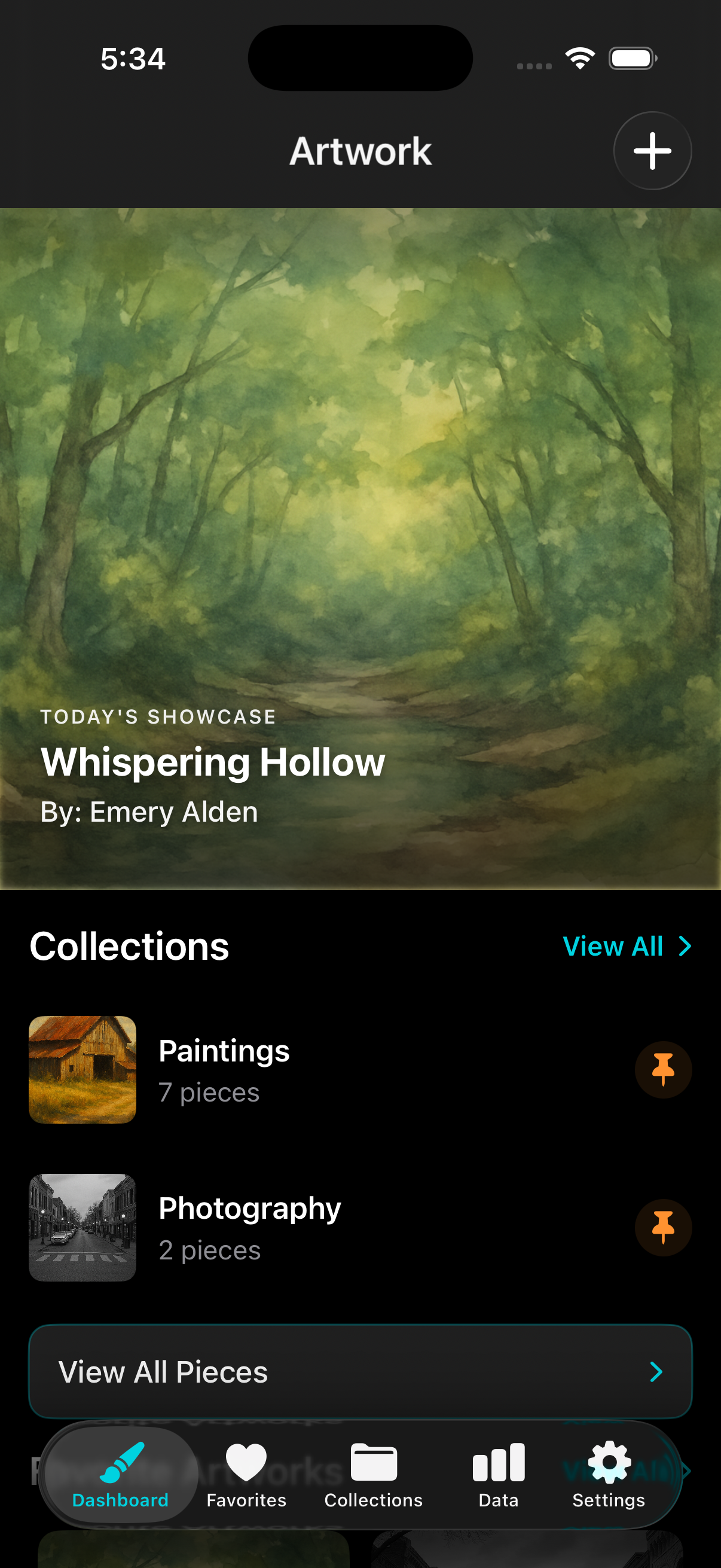
Salette combines the elegance of iOS design with powerful collection management features. Whether you're a seasoned collector or just starting your art journey, track every piece with precision - from acquisition details and market valuations to visual documentation and performance analytics. Your collection deserves more than a spreadsheet.
Powerful Cataloging
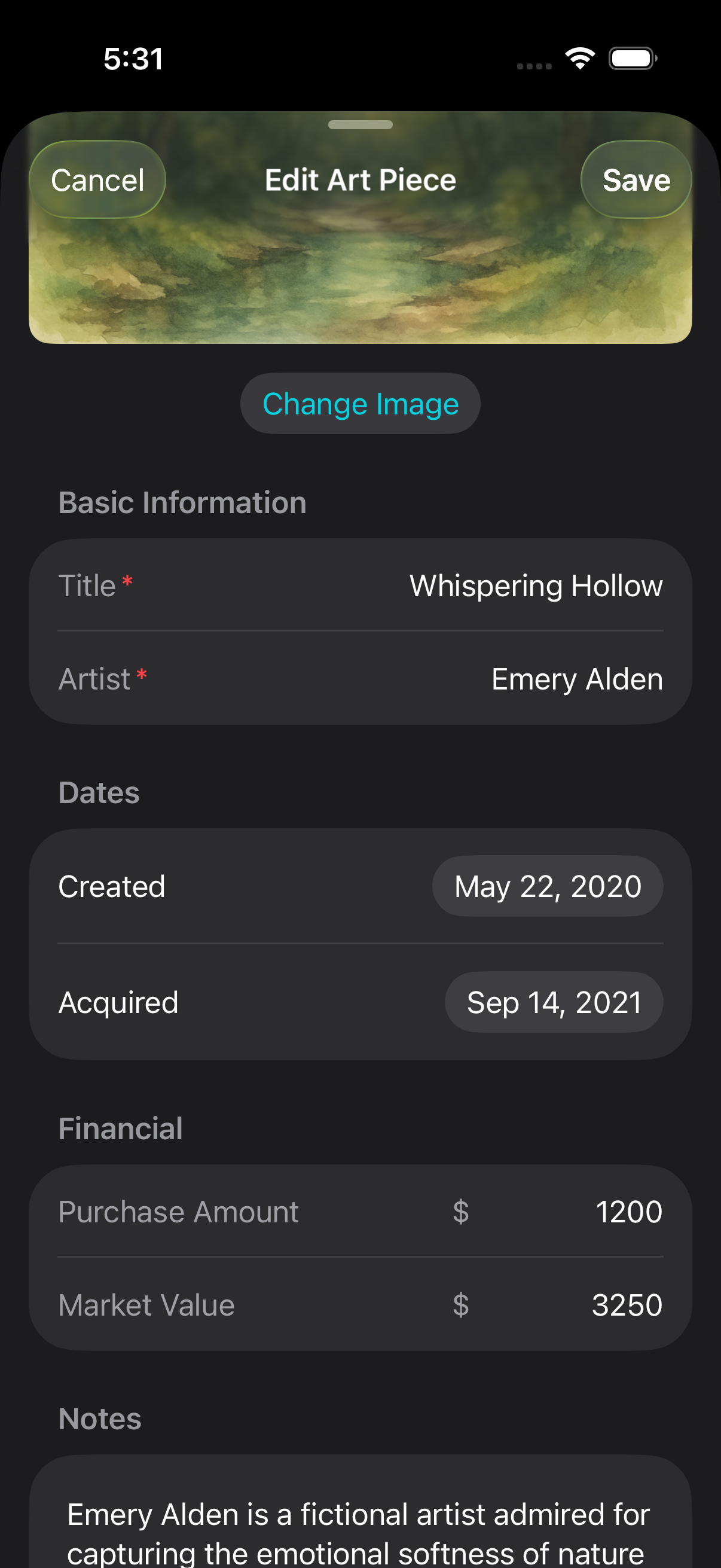
- Capture artwork with your camera or import from your photo library or files
- Add comprehensive metadata: title, artist, dates, purchase price, market price, notes and links
- Organize pieces into custom collections and mark favorites
- Smart collection management - organize artworks by artist, date, value, and custom collections
- Advanced photography integration with built-in camera tools and external storage optimization
Beautiful Analytics
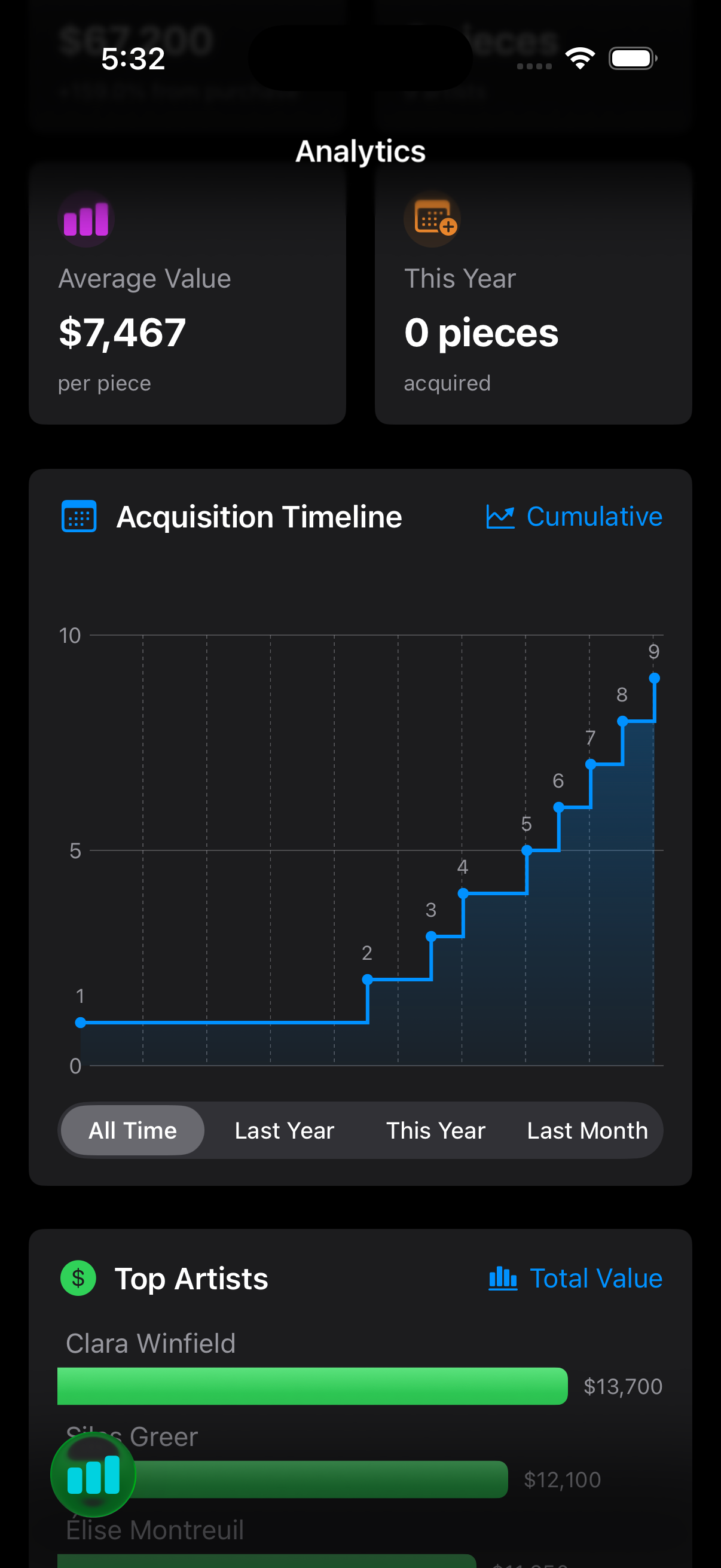
- Stunning charts show collection growth and value trends over time
- Analyze your collection by artist, medium, acquisition patterns, and more
- Track investment performance with gain/loss calculations
- Generate insights about collection diversity and market performance
- Interactive charts showing acquisition timelines, price distributions, and artist performance
- Daily featured showcase - discover a rotating daily highlight from your collection
Seamless Organization
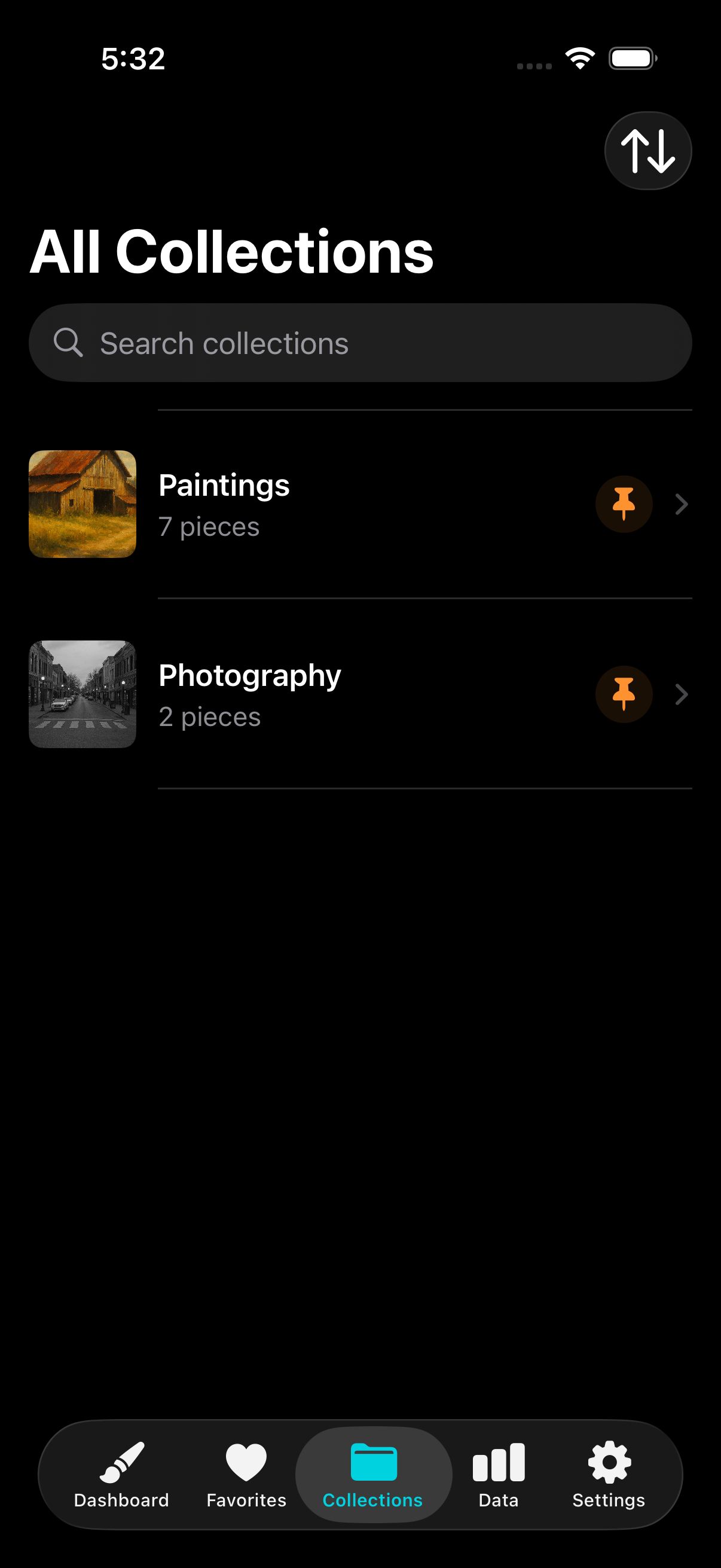
- Create custom collections for any organizing system you prefer
- Mark favorites for quick access to your most treasured pieces
- Search instantly by title, artist, or any metadata field
- Sort and filter to find exactly what you're looking for
- Intelligent search & filtering - find pieces instantly with powerful search across titles, artists, and notes
Professional Features
- iCloud sync keeps your collection safe and accessible across all devices
- Export individual pieces or entire collection data
- Share artwork instantly with friends, family, or clients
- Secure data handling with privacy-first design
- Built with SwiftUI for modern iOS experience and SwiftData for efficient data storage
- Full accessibility support with VoiceOver compatibility
Support
If you need help with Salette, try these quick steps first:
- Update to the latest version of the app from the App Store.
- Restart the app (and your device if needed).
- Check that you have sufficient storage space for photos and data.
- Review the FAQ below for common questions.
FAQ
How do I add photos to my collection?
Tap the camera icon when adding or editing an artwork. You can take a new photo or select from your photo library. The app will automatically optimize images for storage efficiency.
How does iCloud sync work?
When enabled, your collection data syncs across all your Apple devices through your personal iCloud account. Your data is encrypted and we have no access to it. Make sure you're signed into the same iCloud account on all devices.
Can I export my collection data?
Yes! You can export individual artworks or your entire collection through the app's export features. This creates a backup of your data that you can save or share.
How do I organize my collection into custom collections?
When adding or editing an artwork, you can assign it to custom collections. You can create new collections on the fly or manage them in the collections section of the app.
How do I report a bug or request a feature?
Email . Include iOS version, device model, app version, and steps to reproduce the issue. For feature requests, describe what you'd like to see added.
Do you collect my personal data or collection information?
No! We don't collect your collection data, photos, or personal information. See our Privacy Policy for details. Your data stays on your device and in your iCloud account.
Is my collection data secure?
Yes! Your data is stored locally on your device using SwiftData, and if you enable iCloud sync, it's encrypted through Apple's secure infrastructure. We have no access to your collection data.
Can I use this app for my child's artwork?
Absolutely! Salette is perfect for parents documenting their children's creative development. You can create collections for different children or time periods, and all data remains private to your family.
Getting Started
New to Salette? Here are some tips to get the most out of your art collection:
- Start by adding a few pieces to get familiar with the interface
- Use custom collections to organize by artist, medium, or time period
- Mark your favorite pieces for quick access
- Enable iCloud sync to access your collection on all devices
- Explore the analytics to see insights about your collection
Contact
Need more help? Email us anytime at . We typically respond within 24 hours.
About Salette
Salette was born from a dinner conversation in June 2025. Friends were discussing the impact of LLMs as coding assistants and how they're changing iOS app development. When I asked what they'd like to see built, one friend asked if there could be an app to track their art collection.
The next morning, I had a demo running as a proof of concept. After taking care of a few things over the following months, Salette launched on the App Store in November 2025.
The app icon is a small nod to the moment that sparked it all.

Hi, I'm Steven, the developer behind Salette. I love building apps that solve real problems and bring joy to people's lives. When I'm not coding, you can find me exploring new technologies, working my day job in banking, and turning ideas into reality.
Have ideas for Salette or want to connect? I'd love to hear from you!
Privacy Policy
Last updated: 2025-09-26
Salette is designed to be fast, focused, and respectful of your privacy. We understand that your art collection is personal and valuable, and we're committed to protecting your data with privacy-first design.
What we collect
- Your art collection data. All artwork information, photos, metadata, and collection organization data you add to the app is stored locally on your device and synced via iCloud (if enabled). This data belongs to you and is not shared with us.
- Diagnostics & crash reports (optional). If you opt in to share diagnostics via Apple settings, we may receive anonymized data from Apple to improve stability and performance. This data does not identify you or your collection.
- Support email. When you contact us at , we receive your address and the contents of your message so we can reply.
What we don't collect
- No account creation or user registration.
- No third‑party analytics or advertising SDKs.
- No sale or sharing of personal information or collection data.
- No access to your photos or camera data. Your data stays on your device and in your iCloud account.
- No tracking of your app usage patterns or behavior.
Data storage and sync
Your collection data is stored locally on your device using SwiftData. If you enable iCloud sync, your data is encrypted and synced across your Apple devices through your personal iCloud account. We have no access to your iCloud data or collection information.
Photo and media handling
Photos you add to your collection are stored locally on your device and synced via iCloud (if enabled). We do not process, analyze, or store your artwork images on our servers. All image processing happens locally on your device.
Children's privacy
Salette is designed to be family-friendly and can be used by parents to document children's artwork. We do not knowingly collect personal information from children under 13, and all collection data remains under the control of the device owner.
Data retention
We retain support emails only as long as needed to address your request, and diagnostics only as provided by Apple. Your collection data remains on your device and in your iCloud account until you choose to delete it.
Export and deletion
You can export your collection data at any time through the app's export features. You can delete individual artworks or your entire collection at any time. Deleted data is removed from your device and iCloud (if synced).
Changes
We may update this policy as the app evolves. Material changes will be posted here with a new "Last updated" date.
Contact
Questions about your privacy or data? Email .
This plain‑English policy is provided for convenience and does not constitute legal advice.